How to Pass Google Play Closed Testing: 14 Days, 12 Testers
Since November 13, 2023, Google requires all new personal developer accounts to test with at least 12 real testers for 14 continuous days before unlocking production access. Here is the exact technical engineering workflow from keystore signing to production rollout.
Want the policy explained before the workflow? Start with how Google Play closed testing works, or see what a managed 12-tester, 14-day cycle includes. Step 6 below links to the production access review.
All personal accounts created after Nov 13, 2023 publishing their first Android app.
At least 12 active testers opted in (OnTesters allocates 14 testers for safety).
14 consecutive days without pauses, split periods, or tester count dropouts.
Daily engagement telemetry plus shipping 2+ updates (correlates with 89% approval).
What Happens During the 14 Days
Google Play evaluates continuous engagement over two weeks. Here is how testing telemetry evolves from day 1 to day 15.
Opt-In and Initial Installs
Testers accept your web opt-in link, install via the Play Store, and complete their first active session. Installs register in Play Console.
Feature Exploration and Bug Logging
Testers explore core user journeys, background states, and screen orientations. Initial bug reports and UI layout notes are recorded.
Patch Deployment (Update 1.0.1)
You deploy an updated AAB to the closed track fixing reported quirks. Testers update seamlessly, generating active development telemetry.
Regression Checks and Final Streak
Final round of stability testing verifying your patches across OEM versions. Telemetry confirms 14 continuous days of active engagement.
Questionnaire and Production Access
The 14-day threshold is complete. You submit Google's 20-question review with your feedback logs and rollout to production.
The 6-Step Closed Testing Execution Plan
Follow this sequence to ensure zero testing resets, valid Play Console telemetry, and an effortless production questionnaire approval.
Release Build and Keystore Configuration
Google Play strictly enforces build integrity. Your submission must be an Android App Bundle (.aab) signed with an official production keystore.
Debug-signed APKs or builds with incomplete manifests will be rejected immediately by Google Play Console. Before submitting to closed testing, verify that your application targets current Google Play API level requirements, includes release proguard/R8 rules if applicable, and references an active, publicly accessible HTTPS privacy policy URL.
Play Console Closed Track Configuration
Navigate to Testing > Closed testing in Google Play Console and create your dedicated track release.
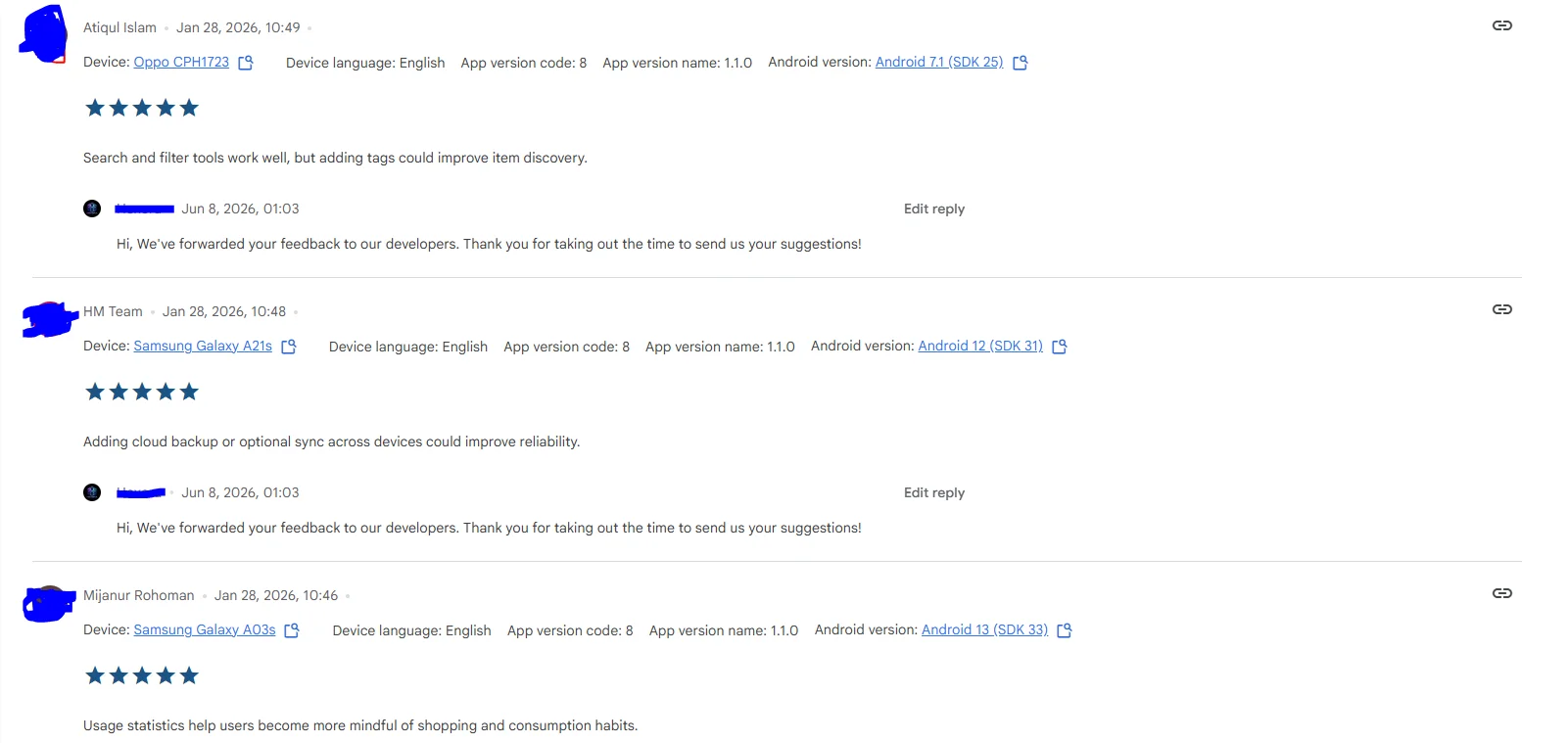
You can configure your track using either an Email List (uploading individual tester emails) or a Google Group. Upload your release .aab and send the track for Google review. Crucial rule: wait until Google's initial review completes and the track status displays "Active". If you distribute your opt-in link while status is "In review" or "Draft", testers will see an "Item unavailable" error.
Match with 14 Verified Android Testers (Buffer Included)
Submit your opt-in link to OnTesters. We allocate 14 verified testers — 12 required plus a 2-tester safety buffer.
Relying on exactly 12 testers from Reddit or Discord is the leading cause of testing resets; if a single tester upgrades their phone or goes silent, your 14-day streak breaks. OnTesters provisions 14 dedicated human testers on physical OEM devices (Samsung, Google Pixel, OnePlus, Xiaomi) spanning Android 11 through 15 within 6 to 24 hours.
Continuous 14-Day Telemetry and Daily Sessions
Google Play review algorithms evaluate session depth, repeat opens, and engagement continuity, not just install counts.
Dormant installs where users download an app and never open it again are flagged by Google during the production review. OnTesters testers open your application daily, navigate core features, trigger screen transitions, and generate natural telemetry visible in your Play Console dashboard. Our live dashboard mirrors your active days and engagement streak in real time.
Iterative Bug Fixes and Mid-Test Releases
Shipping updates during testing proves active development and dramatically elevates production approval rates.
Our analysis of 1,500+ campaigns reveals that developers who ship 2 or more updates during their closed testing period achieve an 89% production approval rate, compared to just 53% for apps with zero updates. Testers submit structured bug reports including OEM model, OS version, and exact reproduction steps, allowing you to deploy version updates without resetting your 14-day countdown.
Production Access Questionnaire and Approval
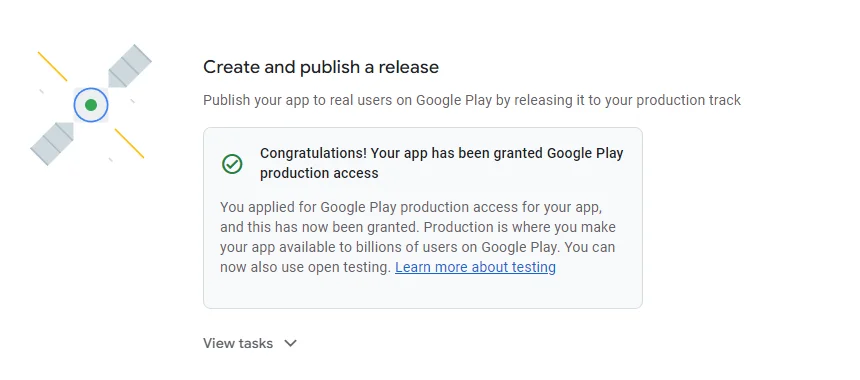
Upon completing day 14, apply for production access using your archived feedback and version history.
Google requires developers to complete a comprehensive 20-question review explaining how testers were recruited, what feedback was collected, what bugs were resolved, and why the app is production ready. OnTesters provides structured feedback exports and questionnaire guidelines so you submit concrete evidence instead of vague generalities. Across all campaigns analyzed, 72% pass on their first attempt, and 91% pass on their second attempt.
OnTesters vs. Reddit/Discord Swaps vs. Bot Farms
Google Play review systems actively detect synthetic traffic and dormant accounts. Compare how different testing approaches impact your production access approval.
| Criterion | OnTesters Network | Reddit / Discord Swaps | Bot Networks / Farms |
|---|---|---|---|
| Hardware Verification | Real OEM devices (Samsung, Pixel, Xiaomi, OnePlus) | Unverified mixed devices, frequent emulators | Virtual machines and emulator farms (High ban risk) |
| 14-Day Retention Rate | 97%+ daily active engagement streak | <40% retention (frequent dropouts by day 4) | Synthetic scripts (detected by Play Protect) |
| Safety Buffer | 14 testers allocated (2 buffer testers included) | Exactly 12 or fewer (single drop resets clock) | Fake accounts (often banned mid-test) |
| Questionnaire Evidence | Structured bug reports, changelogs, OS matrices | Minimal feedback ("looks good" or silence) | Zero authentic feedback |
| Google Policy Compliance | 100% compliant with Play Console testing rules | Frequent testing resets due to inactivity | Violates Developer Program Policies |
| Developer Setup Time | 2 minutes (paste Play Console link and launch) | 3 to 5 days manual coordination and reminders | Manual proxy and script configuration |
Developer Checklist Before Starting
Verify these 6 technical prerequisites before launching your closed testing track to avoid Google Play rejection flags.
Release Keystore Signing
Build using an official release keystore. Debug-signed APKs are immediately rejected by Google Play.
Android App Bundle (.aab)
New applications must be compiled as .aab. Standalone APKs are no longer accepted for new listings.
Target API Compliance
Ensure your targetSdkVersion complies with Google Play minimum requirement (Android 14/15).
Active Track Status
Submit your closed track for Google review first. Status must show "Active" before sharing opt-in links.
Public HTTPS Privacy Policy
All apps require a live, publicly accessible HTTPS privacy policy URL detailing data practices.
Promo Codes for Paywalls
If your app is paid or paywalled, generate 100% discount promo codes in Play Console for testers.
Tested on the Physical Devices Your Users Actually Own
Emulators and virtual machines fail to catch aggressive OEM battery savers (like Xiaomi MIUI or OnePlus OxygenOS background process killing), layout clipping on non-standard camera cutouts, or hardware biometric permissions.
Our network tests on genuine consumer hardware spanning 80+ countries. For non-English apps, our built-in on-screen translator, LingoLayer, enables testers to inspect localized user journeys and submit actionable bug reports in English.
Mastering Google's 20-Question Production Access Review
Completing 14 days is only half the battle. Google requires developers to submit a 20-question production access questionnaire. Here is why developers succeed or fail:
- •Vague answers such as "testers loved the app" with zero metrics.
- •Shipping zero updates during the 14 days (53% approval baseline).
- •Tester dropouts where engagement fell below 12 active users.
- •Concrete bug logs with specific OEM models and OS version tags.
- •Verified release notes demonstrating bug fixes pushed mid-test.
- •Full refund or free retesting guarantee if rejected on engagement.
Google Play Closed Testing FAQ
Clear, technical answers to common questions about timing, updates, and approval criteria.
Ready to Meet Google's 14-Day Closed Testing Requirement?
Join developers across 1,500+ apps who published on Google Play with OnTesters. Get 14 verified testers on real devices starting at a flat $14.99 with our 100% money-back guarantee.
Start your closed test today